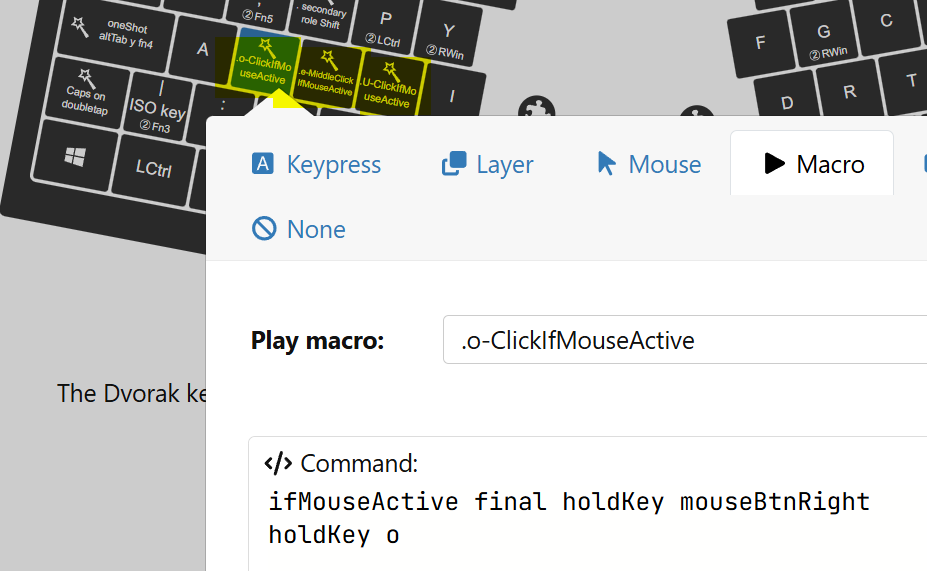
I’m really happy with UHK v2 and the only question I have so far is: I don’t have left button cluster, I use only trackpoint. I’m used to using it with my index finger, but I want to try using it with my thumb. The only thing is that I won’t be able to click left mouse button in the process.
So the question is: can I automatically toggle another layer if I use trackpoint?
Well, discrete navigation modes (e.g., caret or media) can be remapped to macros. So yes, just create a macro to toggle the layer, remap all directions of one of those navigation modes and configure navigation modes per layers… You will also need to map a macro to untoggle layer somewhere in the toggled layer, and you will have to unlock the layer manually. See the smart macro reference in Agent, or the reference manual at https://github.com/UltimateHackingKeyboard/firmware/blob/master/doc-dev/reference-manual.md.
Same here. I do have the left module, but found that I do not really use it much and actually prefer the left mouse click on the left case button, most of the time. So this is surely worth a try.
Hi. I was wondering if it is possible to generate a macro on a key to do a click when I’m using my trackpoint (when I’m moving the cursor).
Something like
ifCursorMoving final holdLayer mouse
tapkey s
Where, if I’m moving my cursor, that activates the mouse layer, or else, it sent the key “s“.
Ok, I’m intrigued… So you only want to initiate clicks when the cursor is already in motion? I mean, obviously clicking while moving the mouse isn’t unheard of for gaming, but I’m interested in your usecase. I hope you aren’t playing any FPS games with a trackpoint. If so, I’d love to see that!
Hello guys. I would like using the mouse layer in the same way as the ifGesture behaviour. Instead of activating a secondary role by pressing a key. In other words, moving the cursor with my trackpoint would give me enough time to press a key on the keyboard to get a mapped mouse button without having to press an additional key as “Mouse”. So, this way:
ifCursorMoving s final tapKey mouseBtnLeft
ifCursorMoving d final tapKey mouseBtnMiddle
ifCursorMoving f final tapKey mouseBtnRight
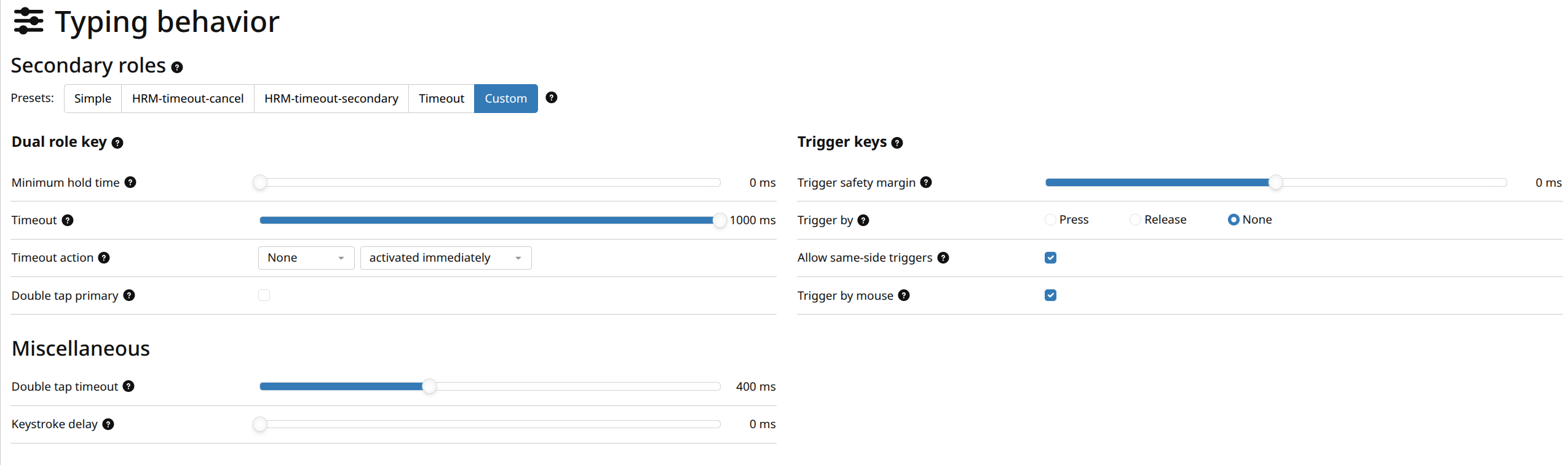
By the way, @Firngrod, could you please give me an example about how to use triggerByMouse?
There is very little information in the reference manual about this.
But I guess the intended meaning is simply “autodetect when I am using mouse”, and the friendliest implementation would probably be to make the condition true if mouse features (mouse movement) took place within last 400 ms - that way such decision would be instantaneous and without ugly side effects such as clicks being mis-detected as drags.
Something like this on the j key:
ifMouseActive final holdKey mouseBtnLeft
holdKey j
Actually sounds like a reasonable feature request to me .
Thanks for answering @kareltucek . You got it!! That is what I’m looking for.
If it’s possible and not complex to implement it, I’ll appreciate it a lot. No hurries, I was just wondering, and it would be nice have such a feature.
Thanks so much @kareltucek. I’m going to play with the new feature .
Wow, I’m really amazed with the results. I’m going to give you my first impressions.
It feels so natural, it responds fast and reliable.
I was allowed to drag and drop, and to double click with my keys.
And above of all, it is comfortable to use, that I was looking for on first place.
I think that I have to get use to let pass some time when I type the macro key after have sent a click with the same key to get the normal behaviour. But I perceived that the amount of time is right to switch between both behaviours and of course, I guess that is a right tradeoff.
I share with you my configuration (I use Dvorak layout).
I like the feature. I would add a time interval option:
ifMouseActive interval 500 final holdKey mouseBtnLeft
holdKey f
would mean that the mouse move must have happened in the last interval msec to trigger the action. I guess the interval would default to something like the doubletap timeout.
It can be made to trigger on future mouse movement as well (sorta), to help with click-and-drag
ifNotMouseActive delayUntil $mouseActiveTimeout // Could be replaced with a loop to increase resolution
ifNotMouseActive final holdKey s
holdKey mouseBtnRight
This could be useful to build into the command directly, to increase the resolution of it to trigger as active immediately on mouse activity maybe?

 If so, I’d love to see that!

 .
. .
.