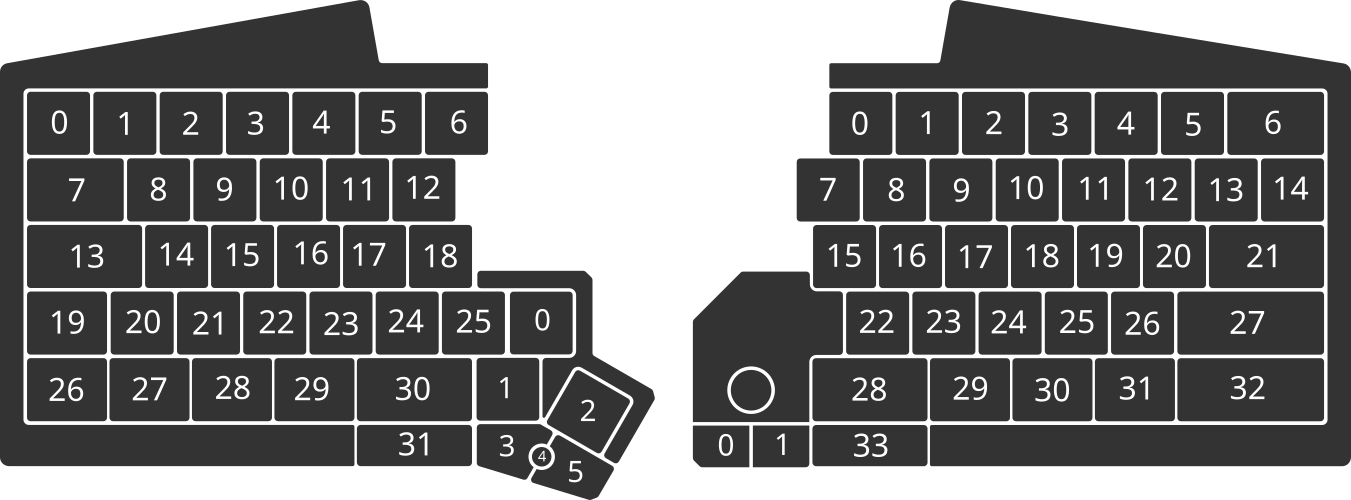
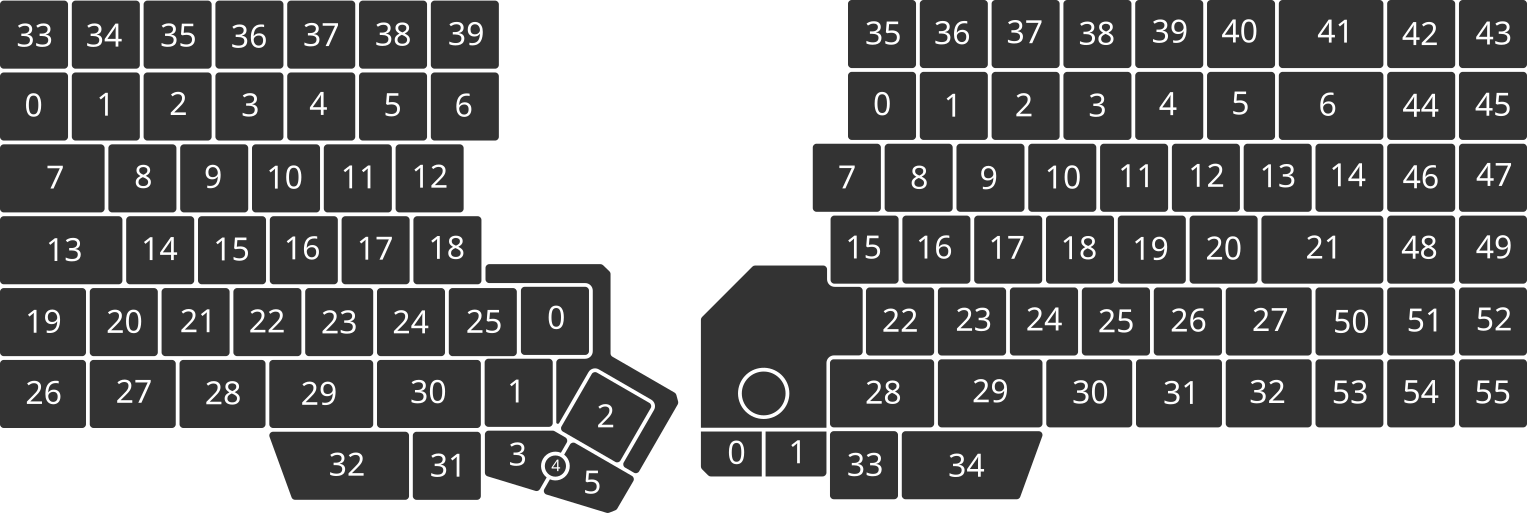
As @kareltucek mentioned earlier, you need to be careful where KEYID/KEYID_ABBREV is used, and which commands need SHORTCUT/SCANCODE/SCANCODE_ABBREV. These are two different types of parameters.
ifShortcutneeds a KEYID (or KEYID_ABBREV) because it refers to a physical key that it will check for. So that will be either the numeric KEYID or the named KEYID_ABBREV as named on US QWERTY. Your ifShortcut b will always refer to the key that is labelled B on a US QWERTY keyboard – no matter what action it does or what scancode it produces in your configuration. This KEYID refers to an absolute key position independent of your keymap, or karabiner, or the host keymap.
tapKey on the other hand needs a SCANCODE or SCANCODE_ABBREV or SHORTCUT. This refers to the code it will send to the host. SCANCODEs are what you configure in Agent for a key press action, or what you will send out in macros using tapKey, tapKeySeq, or write. These SCANCODEs are again labelled according to US QWERTY, but they will be interpreted by your host OS as “the key that is called XXX on a US QWERTY keymap was pressed” and the OS will convert it to whatever your host keymap (or Karabiner) does with it.
So imagine you set your host keymap to Colemak (which is what I do on my laptops). All I have to do on the UHK is use a QWR keymap, because each KEYID will send out a matching SCANCODE. The KEYID f will be the key labelled F on a US keyboard (which is actually a T on Colemak, but the keyboard doesn’t know about it). On the QWR keymap, the key will be mapped to SCANCODE F which is some code that is understood by the host OS that the US keyboard key F was pressed. The host will then convert it according to its local Colemak keymap and map it to the T character which is then actually sent down the line to the current application. Thus, you type on Colemak although your keyboard behaves as a standard US QWERTY keyboard. Your host does the conversion.
Now imagine you set your host keymap to US QWERTY, and you want to type Colemak with your UHK. So the CMK keymap on the UHK will now map KEYIDs to different SCANCODEs. The KEYID f is still the key labelled F on a US keyboard (which will map to T on Colemak in the next step). On the UHK with an active CMK keymap, that key will be mapped to SCANCODE T which is some code that is understood by the host OS that the US keyboard key T was pressed. The host will then convert it according to its local US QWERTY keymap and map it to the T character, which is then sent to the current application. Thus, you type on Colemak although your host understands only standard US QWERTY keyboard. Your keyboard does the conversion.
So you need to think “which US QWERTY key would need to be pressed on a US QWERTY keyboard so that my host conversion yields the character I want”. If your host does some Karabiner magic, then which US QWERTY key do you need to send so you get what you want? That’s the SCANCODE that the UHK needs to send. It is either selected in Agent as the key press action for a key, or it is sent in tapKey, tapKeySeq or write. What the UHK sends to the host are always SCANCODEs.
When you decide which key to press on the UHK to activate a function, that’s when you are referring to the physical key. That’s where the KEYID is used in a macro (like with ifShortcut or ifGesture), or where you click on the key in Agent to select the physical key.
Hope that makes it clearer.