Hello,
How can I change keymap to either Lafayette or Azerty ?
I can see only colemac dvorak or qwerty available…
I do not see where to import keymaps neither
please help
thanks
Hello,
How can I change keymap to either Lafayette or Azerty ?
I can see only colemac dvorak or qwerty available…
I do not see where to import keymaps neither
please help
thanks
Hi, Welcome to the forum!
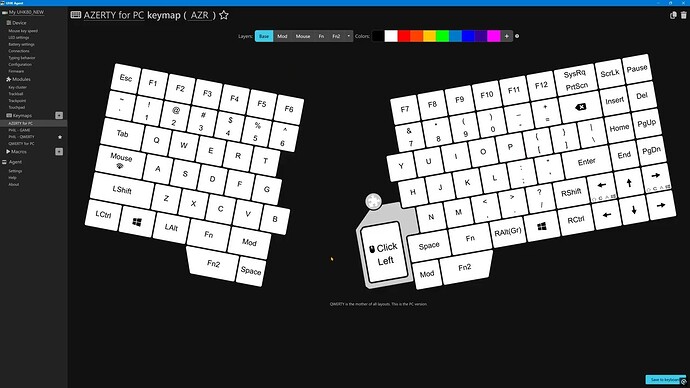
You’d need to create your own keymap. For AZERTY, I’d just modify a QWERTY keymap and rename it to AZERTY or whatever:
thanks I will look into it
Welcome to the forum!
Just wondering aloud here: You are aware of the differences between keymaps on the keyboard and keyboard layout on the computer, right? That changing the placement of keys in Agent will be like physically moving the keys around on the keyboard, while using a keyboard layout in your OS will affect how the keys are interpreted?
If you have changed keyboard layout on your computer, you should not have to do anything else on the UHK.