HRM/Secondary Role - Yet another way. With examples!

I am seeing a weird behaviour, but it’s hard to describe it. I’ll give it a try. I am also not sure if this is a direct result of your HRM implementation, but it somehow has to do with the postponer, and secondary behaviour.

<tl;dr> When typing a key on a secondary-activated layer that maps to a shifted symbol, the UHK sometimes looses the shift modifier when the keys are pressed and released in quick succession.</tl;dr>

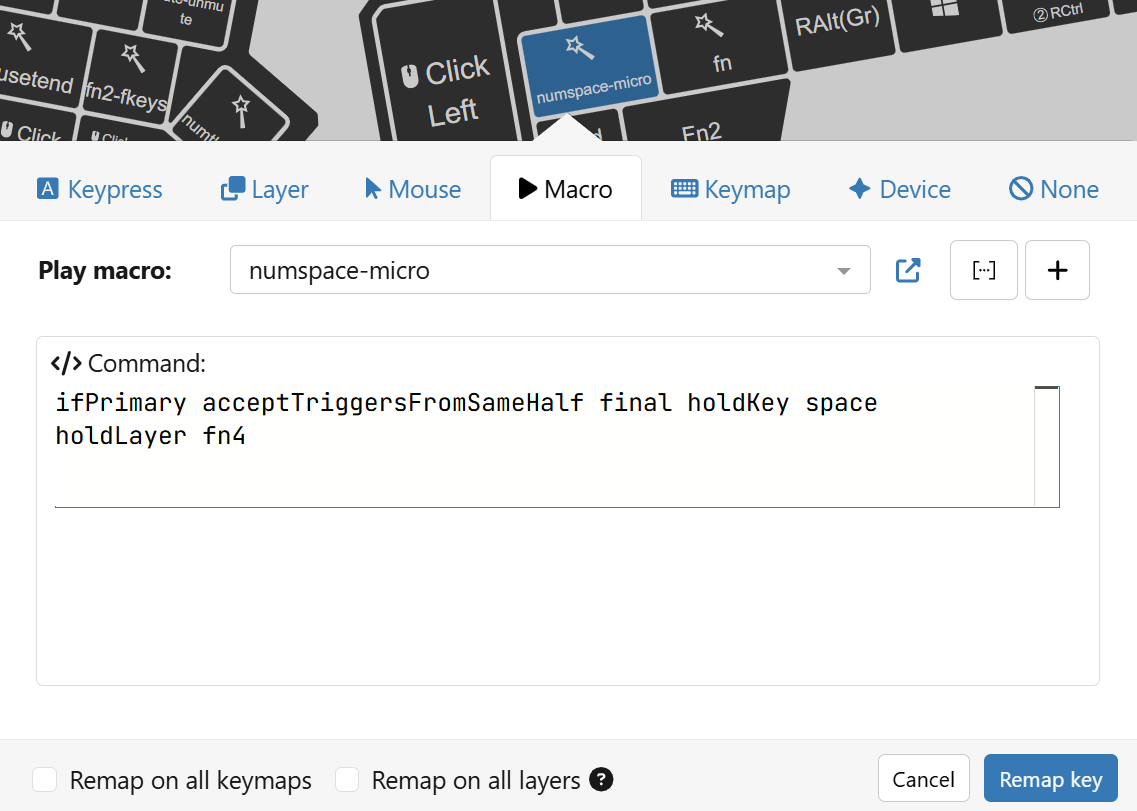
I have this macro bound to right space:

numspace:

ifSecondary acceptTriggersFromSameHalf goTo secondaryaction
primaryaction: final holdKey space
secondaryaction:
setLedTxt 0 leftStatus '0-9' abbrev '0-9'
holdLayer fn4
ifLayer fn5 final setLedTxt 0 leftStatus "NUM" abbrev "NUM"
setLedTxt 1 leftStatus '0-9' abbrev '0-9'

(I can try to remove the setLedTxt and ifLayer parts but I don’t think it will make a difference.)

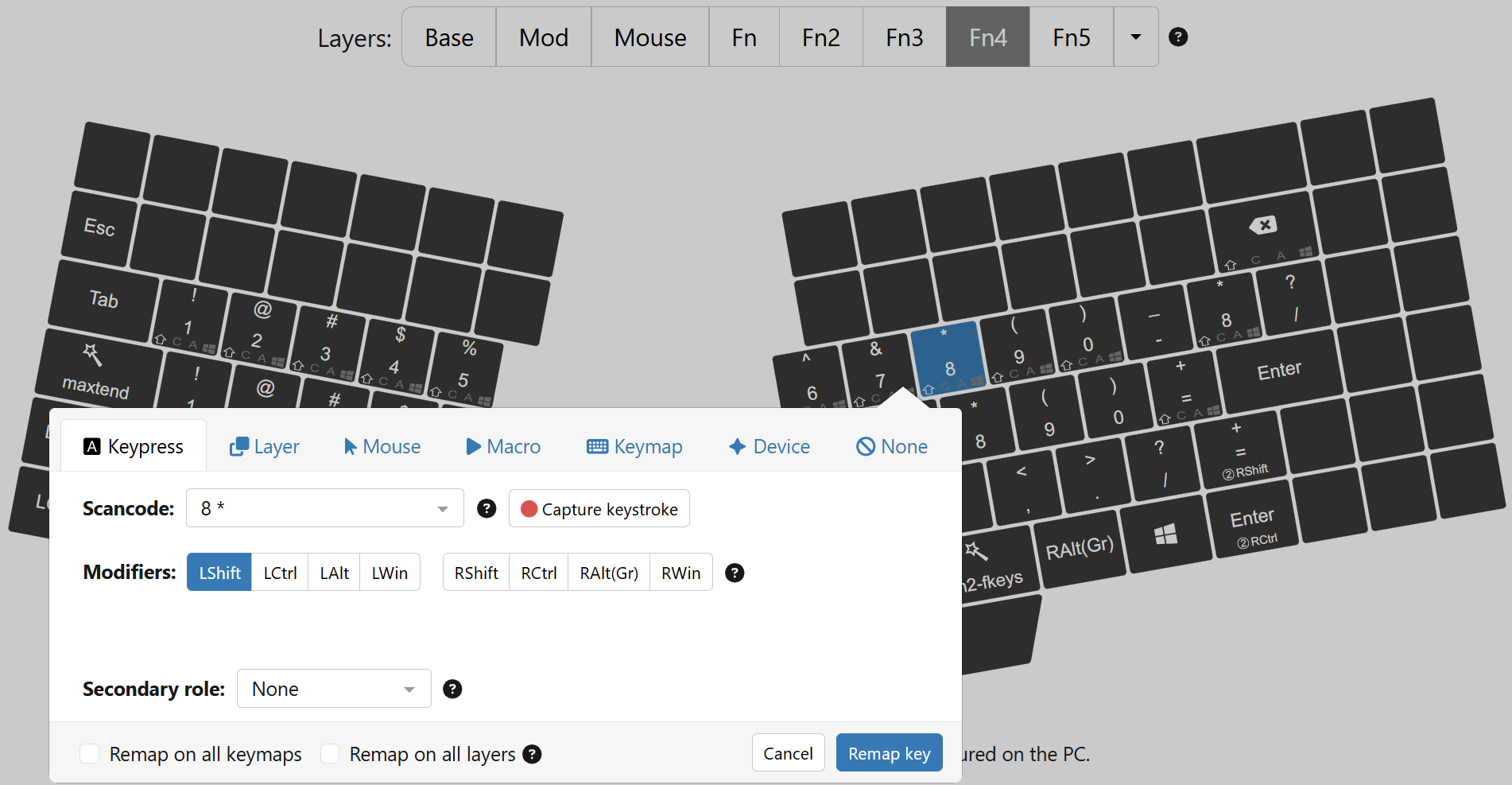
My i key maps to ‘8 *’ with LShift on the fn4 layer – it’s supposed to produce an asterisk (‘*’). When I hit it during quick typing as rightSpace+i it sometimes comes out as ‘*’ and sometimes as ‘8’.

It seems that the UHK processing logic looses the LShift in certain circumstances.


Full story, for those who love details:

I noticed this first while trying to type a wink smiley :wink:

My base layer maps the p key to scancode ‘p’, and my host keymap is Colemak, so this scancode will map to ;:, resulting in ; character unshifted and : character shifted.

My fn4 layer (which gets activated by the numspace macro (see above) as secondary action) maps the p key to ‘)’ (= scancode ‘0 )’ with LShift), which is also mapped to character ) by the host keymap.

When I press p, I get ;, so that’s correct.
When I press rightSpace and hold it a little, I see the fn4 indicator come up. When I then tap p while still holding rightSpace, I get ), so that’s correct too.

When I very quickly press rightSpace, then tap p and immediately let go of rightSpace in one smooth motion, I sometimes get ‘)’ and sometimes ‘0’, and sometimes ’ ;’ (with space in front).

The ‘)’ would be correct, the ‘0’ seems to have lost the LShift modifier, and the ’ ;’ is probably me having let go of the leftSpace too early, so I get space followed by unmodified p.

So my issue here is the ‘0’. This also happens with other shifted scancodes that sometimes loose the shift modifier when typed very quickly with that numspace macro.

I added acceptTriggersFromSameHalf to the ifSecondary command to make sure that rightSpace+p and rightSpace+‘i’ would trigger correctly when typed quickly. They are after all on the same keyboard half. My init macros set secondaryRole.advanced.acceptTriggersFromSameHalf false.
I don’t know about the missing Shift operator. Can this behavior be reproduces without the secondary role variable? Your keystroke delay is 5ms, so it should be okay. Maybe it has something to do with other features implemented in this firmware version?

For the missing secondary key activation, I think that’s just due to timing of key actions, as you mention. You can try outputting the key timings to see if that is the case by calling statsRecordKeyTiming to see how things are evaluated.

I am not worried about the non-activation; that’s just sloppy typing on my part.

It’s the sometimes missing shift that is wrong.

Here is what happens if I type rightSpace+i many times quickly:

**8*888888*888*88*8**88*8

Each time it must have activated the layer switch because otherwise you would see u (the i key creates a u symbol on Colemak).

So about half of the time it produces the action without shift (incorrect) and the other half it produces it with shift (correct, that’s the mapping in Agent).

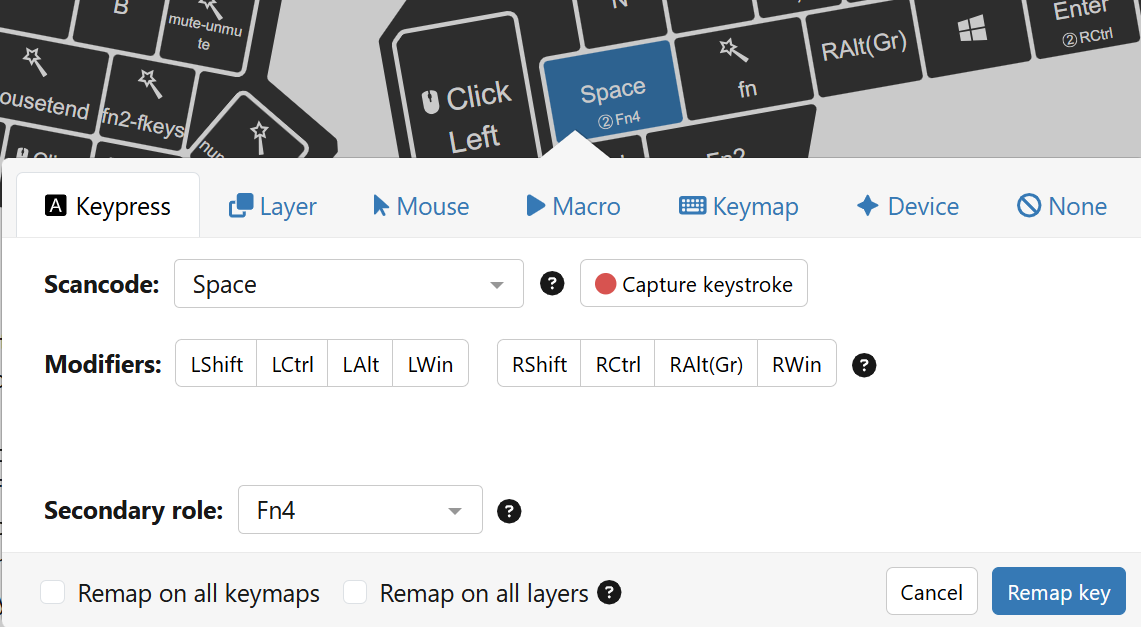
If I configure the rightSpace key as a normal keypress with secondary layer, and set secondaryRole.advanced.acceptTriggersFromSameHalf true (globally), then the activations work fine, and shift is always consistently activated.

So with direct configuration of Keypress including secondary, the behaviour works as expected.

But: I don’t want the global acceptTriggersFromSameHalf, so I need to put the secondary activation in a macro. Here’s the minimum macro:

ifPrimary acceptTriggersFromSameHalf final holdKey space
holdLayer fn4

Now I can change the global default to set secondaryRole.advanced.acceptTriggersFromSameHalf false, and I configure the key to activate the minimum macro:

With that configuration, the sporadious shift problem happens.

@kareltucek Any ideas? Shall I create a Github issue?

P.S. I also have set secondaryRole.advanced.minimumHoldTime 50, but removing that line or varying the value between 0 and 50 made no difference.

@kareltucek Any ideas?

No.

Shall I create a Github issue?

Probably yes.

Just to be sure: did you use macros for this usecase before this firmware version?

50 should make no difference if you have the default 50ms debounce time, I think.

Yes I did, and I had maybe already seen the misbehaviour in some form. But the firmware on the UHK80 was so unreliable at that time (for various reasons) that I didn’t bother drilling down into details.

For the past few months, I haven’t used the UHK80 much as I couldn’t get HRMs to work reliably with my existing UHK60 macros, and used a ZMK-powered Corne as my daily driver.

Now that 16.x firmware was out with your new HRM implementation, I decided to give it another shot, and I started enjoying the UHK80 again. Let’s see where I’ll end up. :slight_smile:

You know the firmware better than me. I wasn’t aware that the debounce is 50ms. But wouldn’t the minimumHoldTime start once debouncing has cleared?

No. Debouncing (in uhk) works by performing the state change and then preventing any state change (bounce or release) for a fixed period.

1 Like

Now that I’ve been thinking about this, I realise that the issue with secondary activations not working correctly from macros may have affected my HRM macros (because the whole implementation was in macros!) to an extent that it was actually the reason I put the UHK80 away and used a ZMK-powered keyboard for a while as my main driver. I just couldn’t get HRM to work on the UHK80. (It was fine on the UHK60 with firmware 11.2 – before the big rewrite.)

Your HRM implementation allows me to use HRM pretty much without macros, so that’s why I was able to go back to the UHK80.

(I can’t type without HRMs anymore. So baked into my muscle memory now!)

@kareltucek Do we know how the RAM situation is on the firmware? Do all versions have the same amount of RAM? Is there a way to know how much headroom is left? I’m guessing we have no recursive functions, so it should be possible to estimate, no? Is it something the compiler can do?

Compiler actually shows it near the end of compilation.
Iirc, uhk60 headroom is 8kb or so.

Given some effort, we may be able to free an additional 32kb.

(Uhk60 has 128kb ram, out of which 2x32kb consume userconfig buffers. Uhk80 has 256kb.)

Memory region         Used Size  Region Size  %age Used
    m_interrupts:          1 KB         1 KB    100.00%
          m_text:      152688 B       463 KB     32.21%
          m_data:       52344 B        64 KB     79.87%
        m_data_2:       58720 B        60 KB     95.57%
   m_data_noinit:        3280 B       3840 B     85.42%
        m_noinit:          16 B        255 B      6.27%

If there’s somewhere I can read on what the different regions are, that would be cool. I wonder what the stack looks like for instance.

Data and data2 are the normal ram.

Noinits live in ram but is persistent across reboots - one serves for communication with the bootloader, in the second we store the status buffer and trace buffer (because of crash logs) and a couple other flags (see wormhole.c - note there are two - one for bootloader, second for our state).

This says roughly 13kb headroom.

I have been trying 16.1 the last few days, really enjoying the homerow mods. But…. The uhk80 is massively unstable since installing it. On startup, and often on onInits triggering, the keyboard is dead for 20 to 30 seconds or so and then all the keypresses that happened will trigger, and this will repeat a few times.

doesn’t happen on 16.0

MacOs latest updates.

should I raise an issue for this even though it is a pre-release version?

1 Like

ah I see 16.1.1 is there now, will try that.

1 Like

Definitely yes. Please provide your UserConfig there.

1 Like