Is there a way to have inheritance between keymaps?
So I could have a QWERTY and COLEMAK-dh and any changes on the QWERTY are reflected in the COLEMAK by default. Only the base changes for me.
Is there a way to have inheritance between keymaps?
So I could have a QWERTY and COLEMAK-dh and any changes on the QWERTY are reflected in the COLEMAK by default. Only the base changes for me.
Yes, you can use Overlays through macros.
I have a Colemax keymap (CMX) with all layers.
I also have another keymap (NMX) with a different base, but all other layers should be the same as on my Colemax keymap.
I added an $onKeymapChange NMX macro for this second keymap. In the keymap itself, I have only a base layer. I deleted all other layers.
$onKeymapChange NMX:
replaceLayer mod CMX mod
replaceLayer mouse CMX mouse
replaceLayer fn CMX fn
replaceLayer fn2 CMX fn2
replaceLayer fn3 CMX fn3
replaceLayer fn4 CMX fn4
replaceLayer fn5 CMX fn5
set keymapAction.fn.isoKey macro initCMX
As soon as I switch to the NMX keymap, the macro loads all the other layers from CMX into the NMX keymap in memory. It also overwrites the Fn+isoKey action to run the initCMX macro. That macro switches back to CMX. This overwrite is needed as in the CMX keymap, Fn+isoKey switches to NMX. By overwriting this it basically becomes a toggle between the two keymaps.
initCMX:
switchKeymap CMX
Brilliant! Thanks!
I’m confused by this. Why all the replaceLayer lines?
On the NMX keymap, why not just leave a mostly empty Fn layer enabled, except for the CMX keymap on the Fn+isoKey?
Then I believe all you’d need is:
$onKeymapChange NMX:
replaceKeymap CMX
overlayKeymap current
Is there a functional difference? Would you still need the initCMX stuff that way? I feel like I have to be missing something obvious, but I don’t know what  .
.
emmmmm
I have
replaceLayer mod QWM mod
replaceLayer mouse QWM mouse
replaceLayer fn QWM fn
replaceLayer fn2 QWM fn2
replaceLayer fn3 QWM fn3
replaceLayer fn4 QWM fn4
replaceLayer fn5 QWM fn5
in $onKeymapChange CDH
but when I switch to CDH I don’t get any of the other layers from QWM……
but if I change it to the below it works in the same file
replaceKeymap QWM
overlayKeymap current
what am I doing wrong in the first approach?
Ahhhhh, ID 10T error
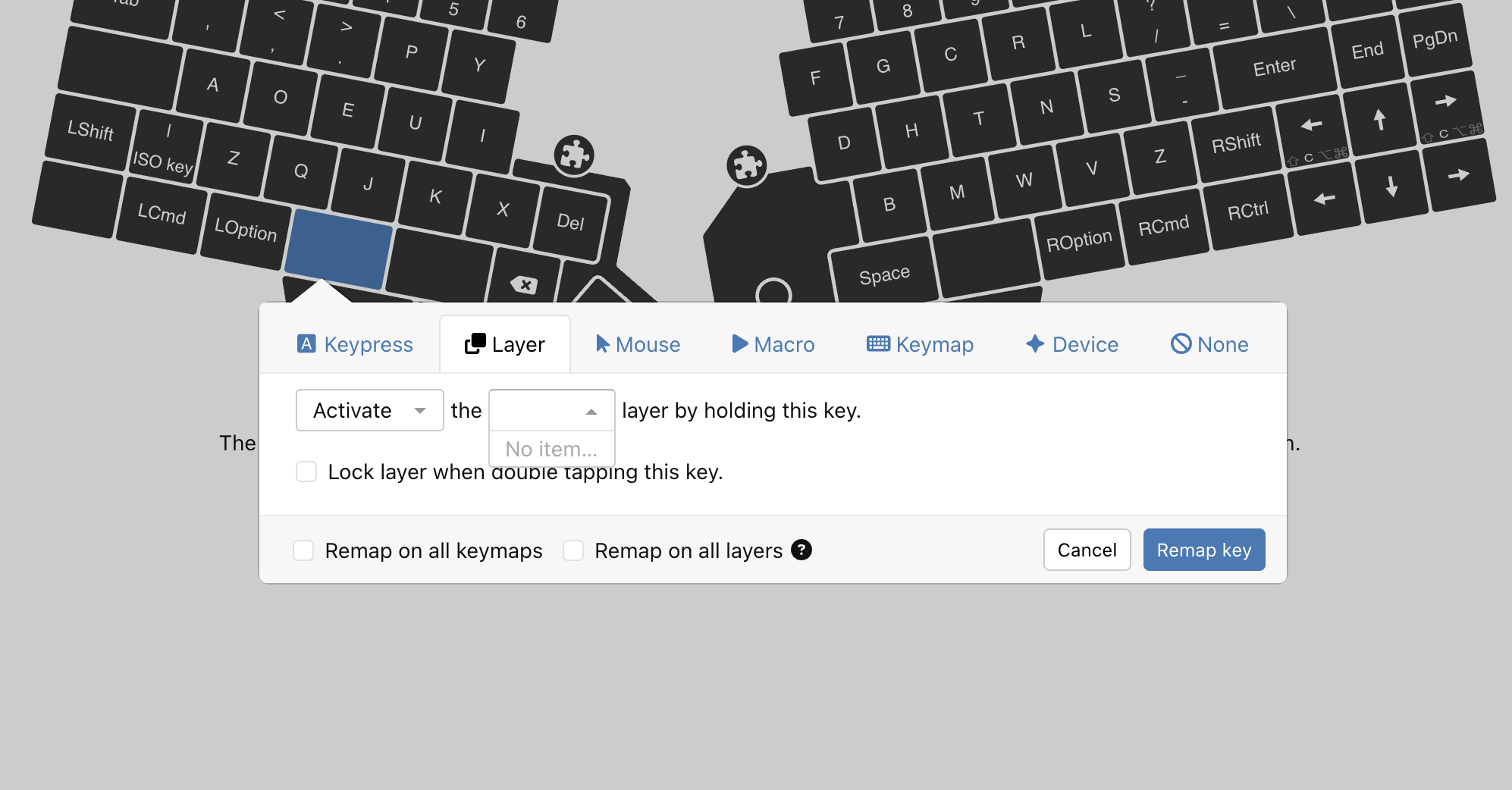
When I delete the layers from the CDH keycap the layer switching buttons were deleted too.
So having no layers for FN, FN2 etc in CDH means I cannot map the FN key to change to layer to FN in CDH
That’s why I do the set keymapAction.fn.isoKey macro initCMX in the init macro for that layer.
You may be right. I’ve never tried it your way.
Sorry, I was not clear enough.
I have my base layer in CDH. With no mod layer, fn layer, fn4 layer etc, then the Activate dropdown in the Layer tab is empty
What do you do for the Mod, FN, FN2, layers etc?
Ah, right, I also switch these via macros. So the keys are mapped to execute macros, and the macros do some stuff and eventually holdLayer fn etc.
You can find an export of my macros in my GitHub repo. Look here maxtend/uhk/macros-uhk80.md at main · mhantsch/maxtend · GitHub
There’s more in that folder.
I would suggest mapping those layer switches in the base layer and overlaying them.
How would you overlay only those few keys that are supposed to be the layer switching keys?
I really wish there was a way to dynamically assign any kind of action to a key, not just keypress or macro.
Ah, right. I assumed that the source keymap is used only for overlaying and has only the layer switchers mapped on base layer.
It would be super helpful if Agent had a way to show what keys are being overlayed/replaced on the affected keymap’s view.
Maybe a toggle on the keymap view that reveals the key mappings of inherited keys with a unique border/color or some other marker?
Another useful feature would be the ability to multi-select keys and quickly assign “None” action to them all at once.
Ok, I think this is what’s the cleanest method IMO.
Let’s say my default keymap is QWR, and I want COL to inherit QWR keys/layers. I’d start with a fully mapped QWR keymap.
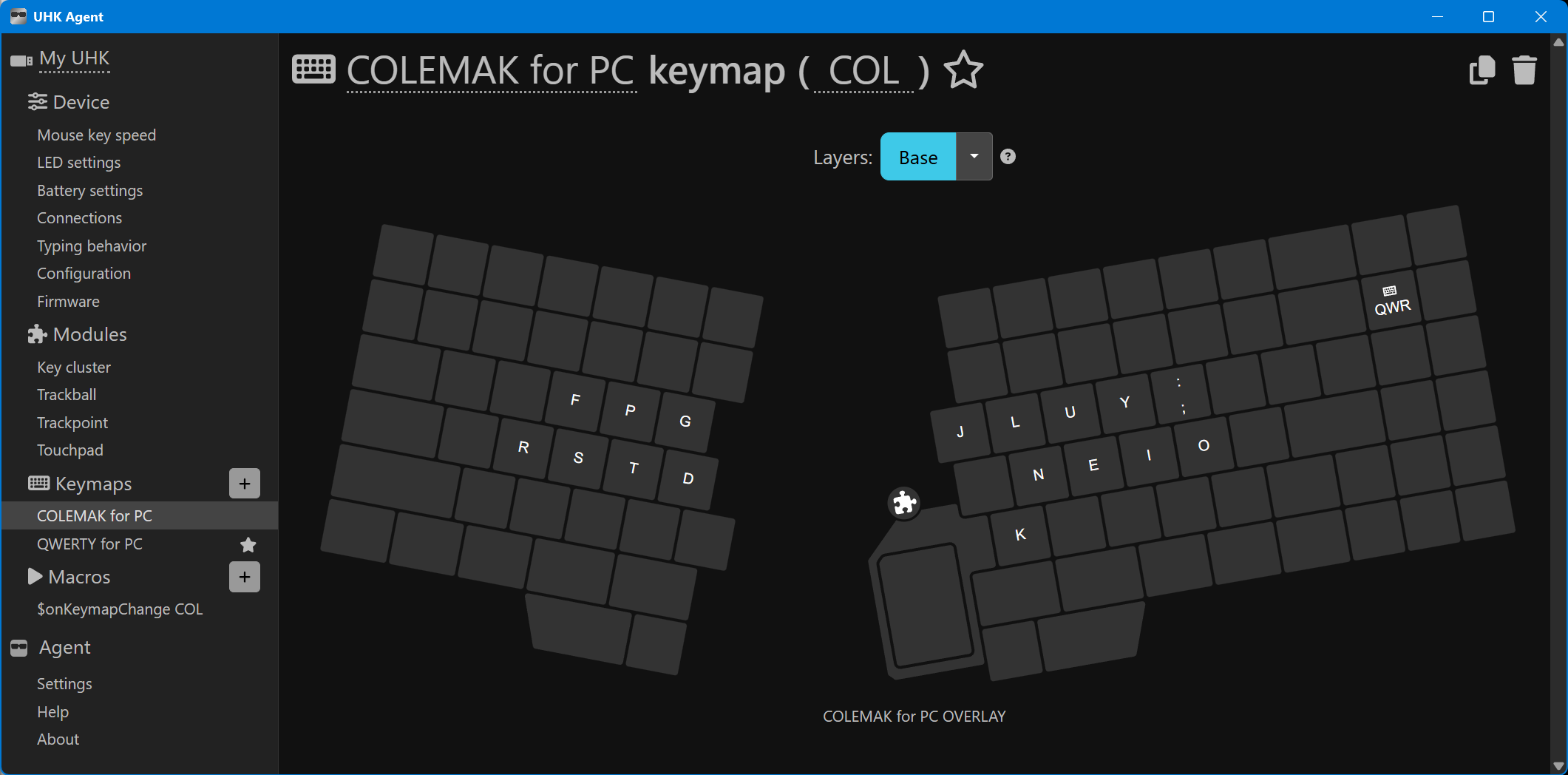
Then create an empty keymap named COL, and only map the keys that would be different from QWR on its base layer. Everything else is unmapped on COL base layer.
Then I’d enable all the layers on COL, but leave them empty. (Actually if there’s no changes on the second keymap layers, you don’t even need them enabled; the layers from source keymap will just work.)
Then map the keymap switchers on both QWR and COL wherever (can even be on non-base layer).
Then create $onKeymapChange COL:
replaceKeymap QWR
overlayKeymap current
Now all my keymap/layer switches work fine on both QWR and COL, even though it appears that the layer switches and a bunch of keys on base layer are unmapped on COL.
Now any changes I make to any keys/layers on QWR are reflected in COL, except for the keys that actually have something mapped directly in COL. Also, any keys I change on COL only affect COL.
@tunney Is this what you’re trying to achieve? It seems weird since the COL keymap has a bunch of unmapped keys, but everything should work as expected. Bonus of saving some on-board storage space as well.
I feel like this is probably a severly underutilized, but extremely useful feature. It would likely be more widely adopted if it was made more obvious/intuitive in Agent.
That sounds really decent; I just never tried it this way.
Your approach is now possible because in the last year or so, Agent and firmware have learned to compress stretches of empty keys in the config. Two or three years ago, the empty keymap layers would have been still huge in the config. That’s why I used a different approach, because at that time I really needed to remove all those additional layers, or my config would have exceeded storage space.
It’s difficult, because Agent can’t really know what you are going to be doing in macros.
That is it 100%, very very useful!!!
Actually, turns out that if you keep your keymap switcher mapped on the base layer of both keymaps, and you don’t have anything mapped differently on any layers of the second keymap (COL), then you don’t need to enable any layers on the second keymap at all! The layers from the source (QWR) will still be available and activate as normal with them disabled on (COL)!  In my first testing, I only needed to enable a single extra layer because I originally had my keymap switchers on the Fn layer (the rest of the layer’s keys were empty on second keymap).
Here’s all you need to switch from QWR —> COL  :
:
NOTE:
I found a backlighting/touchpad bug while testing this stuff. With the minimal setup shown in the above image, when switching to the COL keymap, the right-half LEDs only illuminate for the keys that are mapped on the COL keymap. The rest remain dark, but the left keyboard half stays fully lit up. If I tap a layer switch key, or if I detach/reconnect the touchpad, it resolves it.
FW v16.2.0 #17c7979
Started the layout by resetting the userConfig, deleting all the default macros and keymaps (except QWERTY), and then adding an Empty keymap to build the COLEMAK overlay. Then added the $onKeymapChange COL macro. Pretty sure that’s all the changes made.
I don’t think we’d necessarily need Agent to be aware of the macros. We’d only need the ability to show the differences between two keymaps by transposing the layer views over each other.
I realize this is probably quite a bit of work to implement, but it would be handy for plotting layouts in general, not just for visualizing keymap inheritance. Switching back & forth between keymaps and only making a couple of changes at a time is rather tedious.
I was thinking something like:
• Add a “Compare with Keymap XXX” drop-down box or whatever.
• On the currently selected layer view; show the keys mapped on that layer as normal, but with a visual indicator on the corner of keys that have something mapped on both keymaps. Hovering or clicking them reveals the other mappings.
• On the empty/unmapped keys of the currently selected layer; show what’s mapped on the other keymap, but with a dimmed/muted color.