I have contacted support on this already, but wanted to know if anyone here were able to somehow fix similar issues in the past.
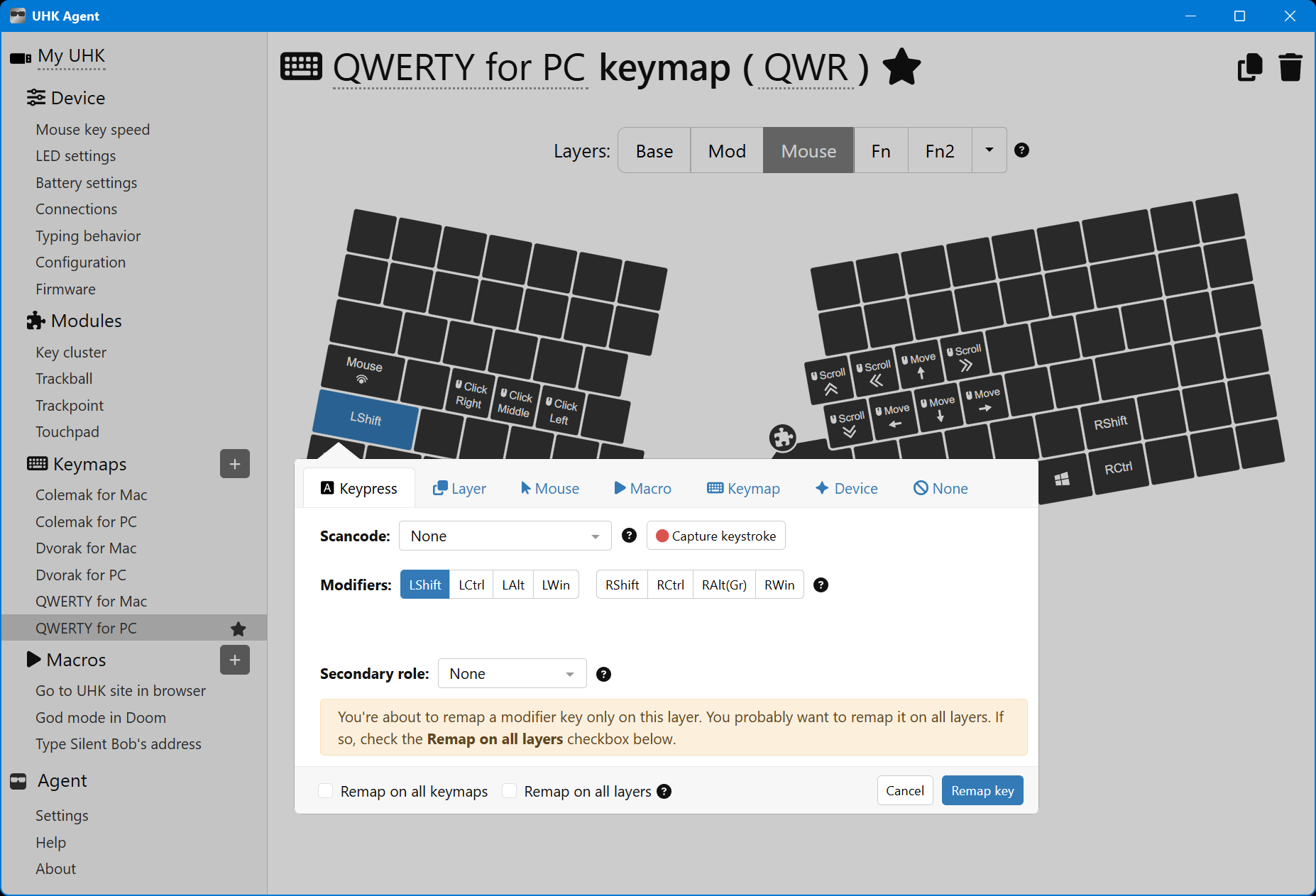
I have just received my UHK80 unit, and its Left Shift key is not working. It never registers anything, even tried using USBCap to find anything. Funny thing is that it seems to do something, because when I press the Mouse key and then press Left Shift, it momentarily goes back to the main layer until I let go or the Left Shift key.
It is not a problem in the switch, I replaced it with another one that is known to work and it does not work, only in the Left Shift slot.
This is definitely not the default behavior. Have you made any changes to your config? Can you share it with us, or at least take some screenshots of the key action popover for the Left Shift/Mouse keys from both the Base and Mouse Layers?
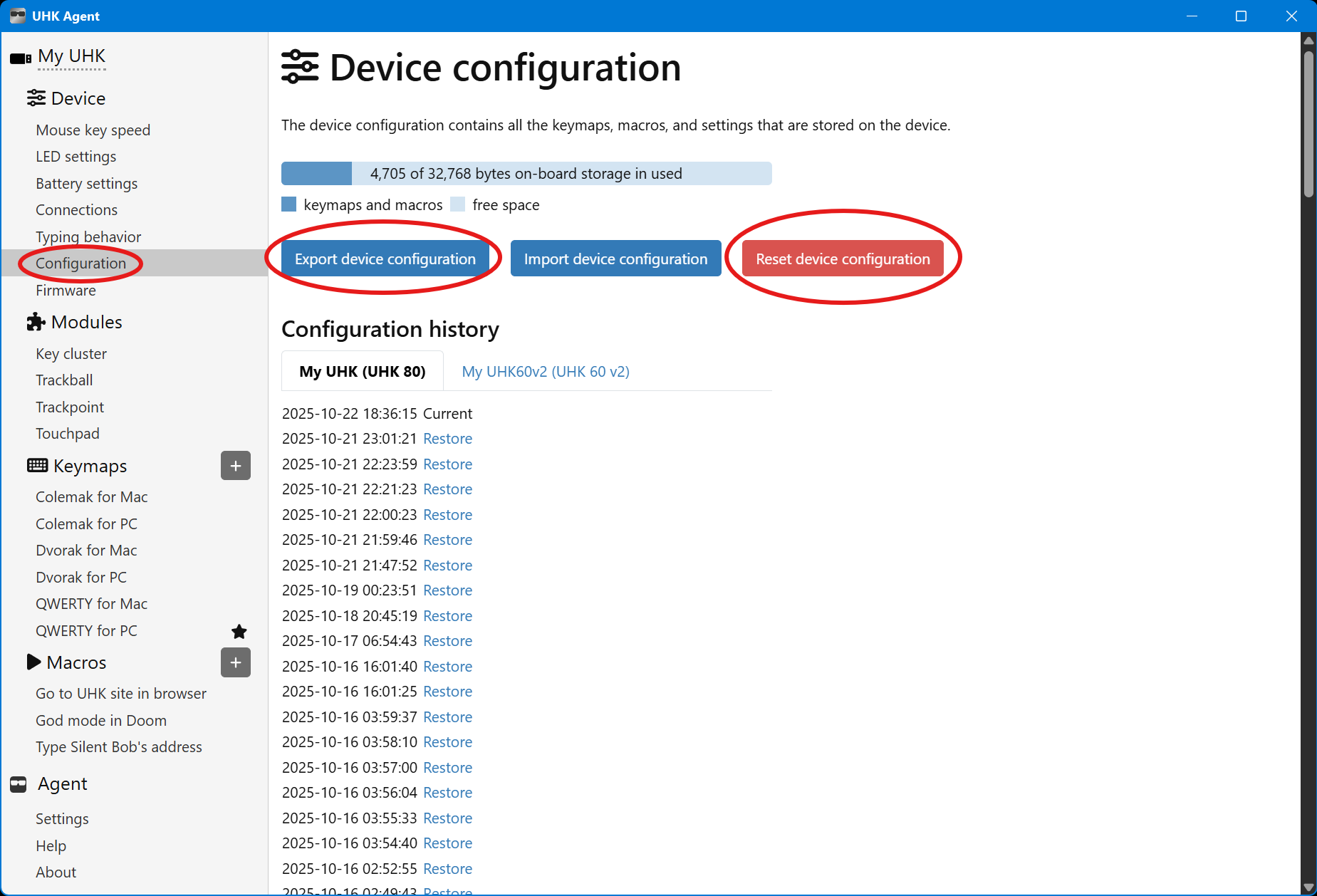
It sounds like the keyswitch is fine, but the config is wonky. My first suggestion would be to backup your current config, and try resetting it to defaults.
If that doesn’t help, try pressing the recessed reset buttons on the back of each keyboard half. Using those doesn’t erase any settings, only restarts the board.
Of course, updating to the latest firmware might also be a good idea.
Regarding hotswap sockets, it is worth to try reseating both the switches while bending their pins a little - so that they end up tensioned against side of the socket.
Left shift and mouse key are on the same scanning matrix, and mechanically close to each other, so pressure on one can affect the other if some contact is badly soldered or something like that…
I thought about that too, but why would it go from the Mouse layer—> Base layer when LS is held—> back to the Mouse layer when released? That seems strange if it’s a bridged solder connection or whatever. I guess I’ve seen weirder though…
I see what you mean now. The mouse key connection breaks. That should’ve been obvious, but unfortunately my prefrontal cortex seems to have a “lifted pad” .

 .
.