Wanted to share part of my layout, in case anyone is looking for a boiler plate to set up Programmer Dvorak on a UHK. My setup is based on the original Programmer Dvorak layout, with a few minor alterations. I don’t use any modules, so this config is also suited for the vanilla UHK. I keep my OS on the QWERTY layout (main reason is that I often pair program with my colleagues, and that way they can type on my laptop keyboard).
I heavily color coded my keys, as I prefer that for quick orientation. I touch type about 95% of the time, but this is mainly if I’m using the keyboard one handed (coffee in the other) or something like that.
For setting up Programmer Dvorak you need to modify the Shift layer, and probably also the Control layer. So combining these three, this is what you get.
Base layer
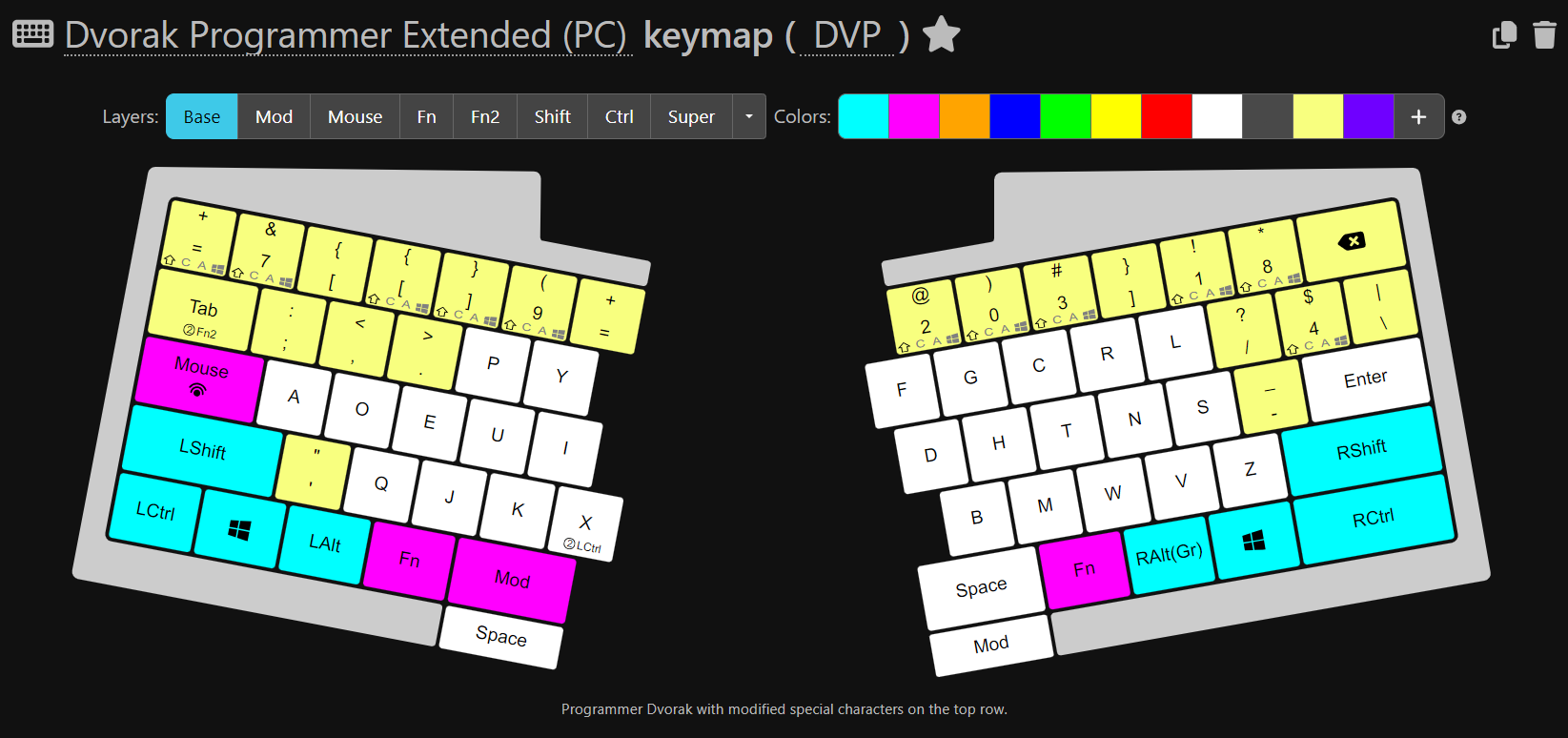
I moved some of the special characters around, because they suited my use case better. I am a Software Engineer and I write a lot of code in React, Typescript and also CSS, so having the $ and the # close by is more necessary than having the + or * signs close. The @ sign I also use a lot for mentions, so I moved it under the index finger. All in all, this is heavily personalized on my use case after lots of tweaking, but I think it could differ per language. In my case, the top row becomes:
+ & [ { } ( = @ ) # ] ! *
And on the second row (excluding the letters)
; , . / $ \
Shift layer
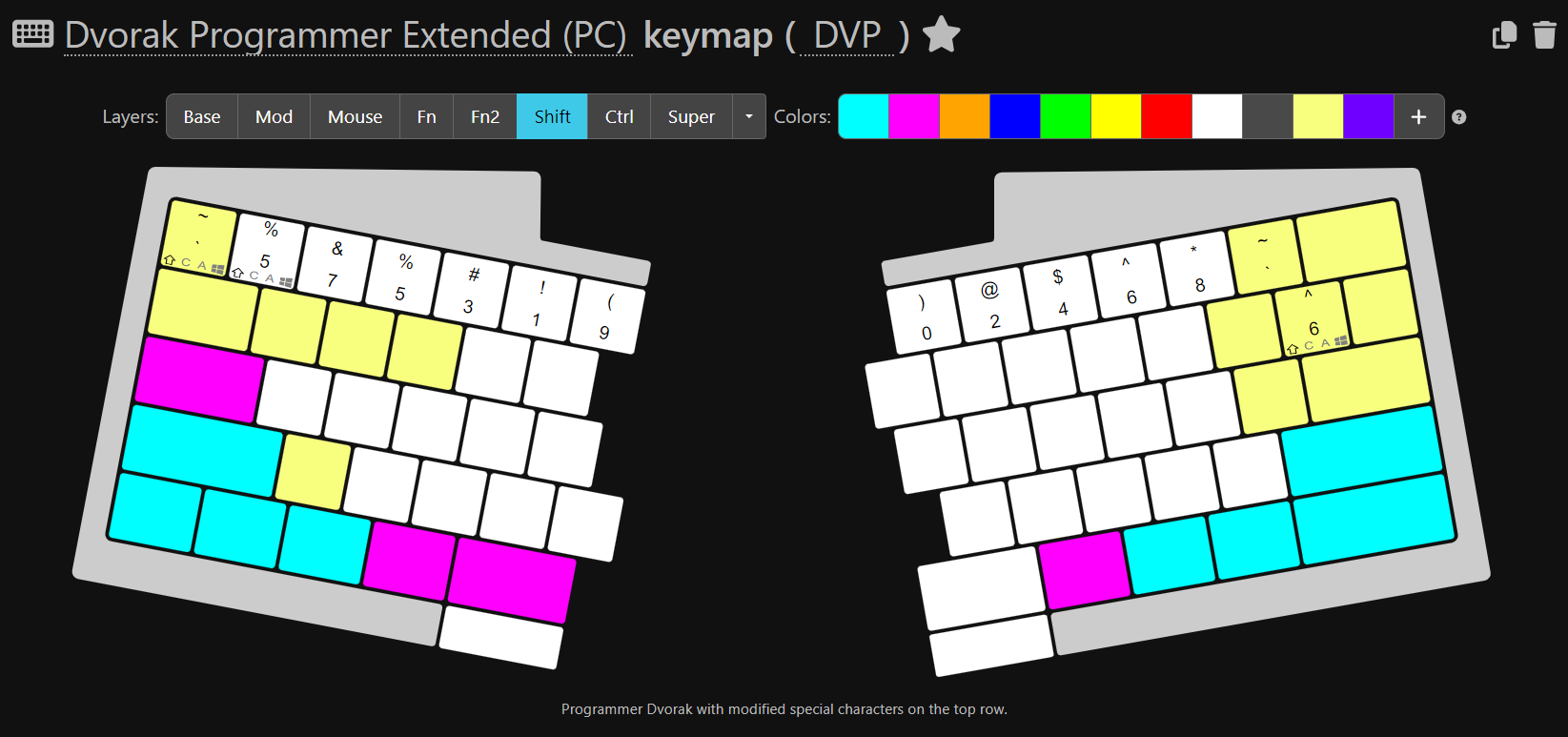
On the shift layer, then the numbers are mapped with some additional special characters. With this setup, the top row becomes this:
~ % 7 5 3 1 9 0 2 4 6 8 `
And the second row (excluding the letters):
: < > ? ^ |
Ctrl layer
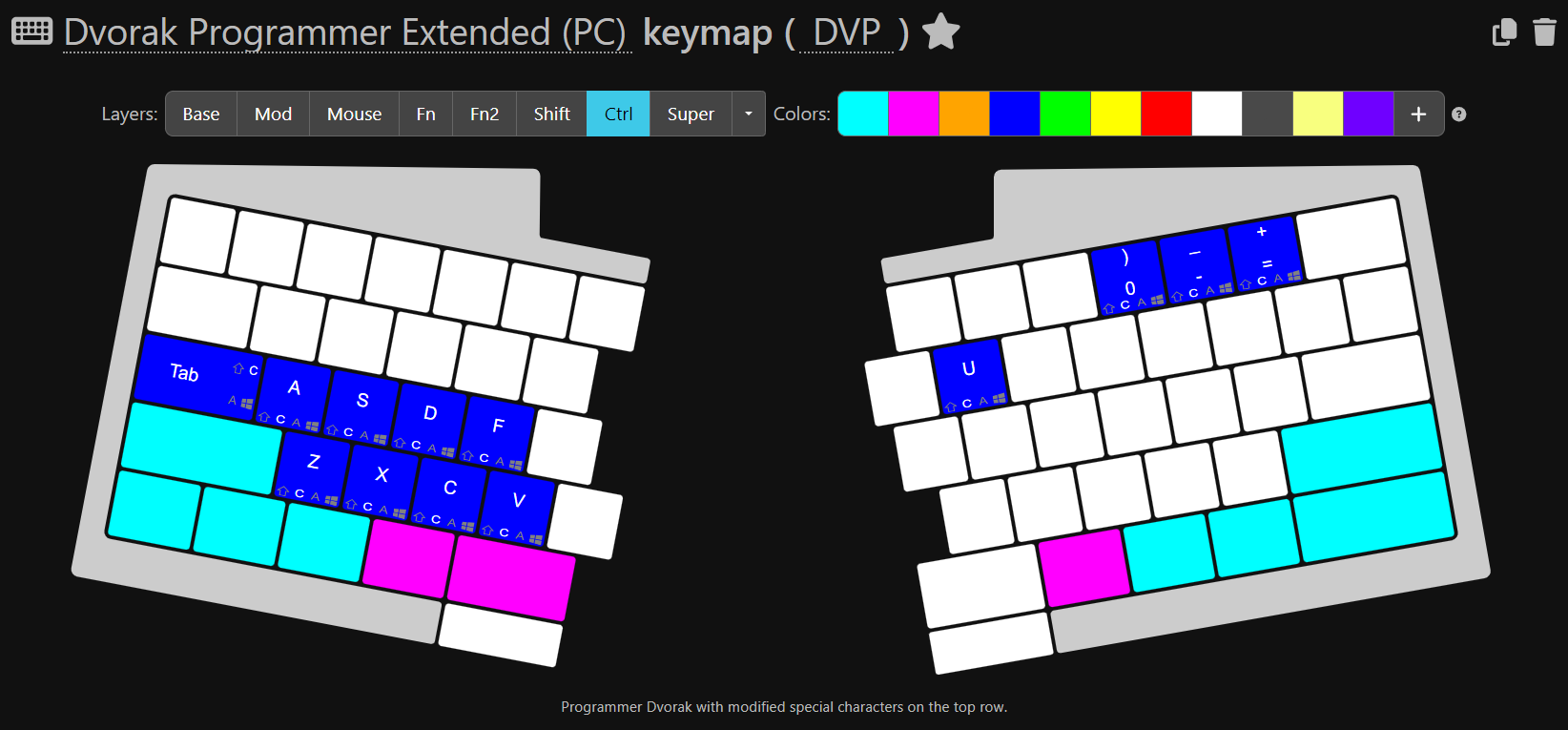
Then on the Control layer, I provided a workaround for one of the biggest drawbacks for Dvorak: the missing copy paste shortcuts that you can use one handed (while the other hand is on the mouse). So, on activating the Control layer, I map back the keys that I marked in blue to QWERTY, so those shortcuts stay intact (I also mapped Ctrl + U, because it became unavailable). And on the top right, same for the Zoom shortcuts.
Numpad layer
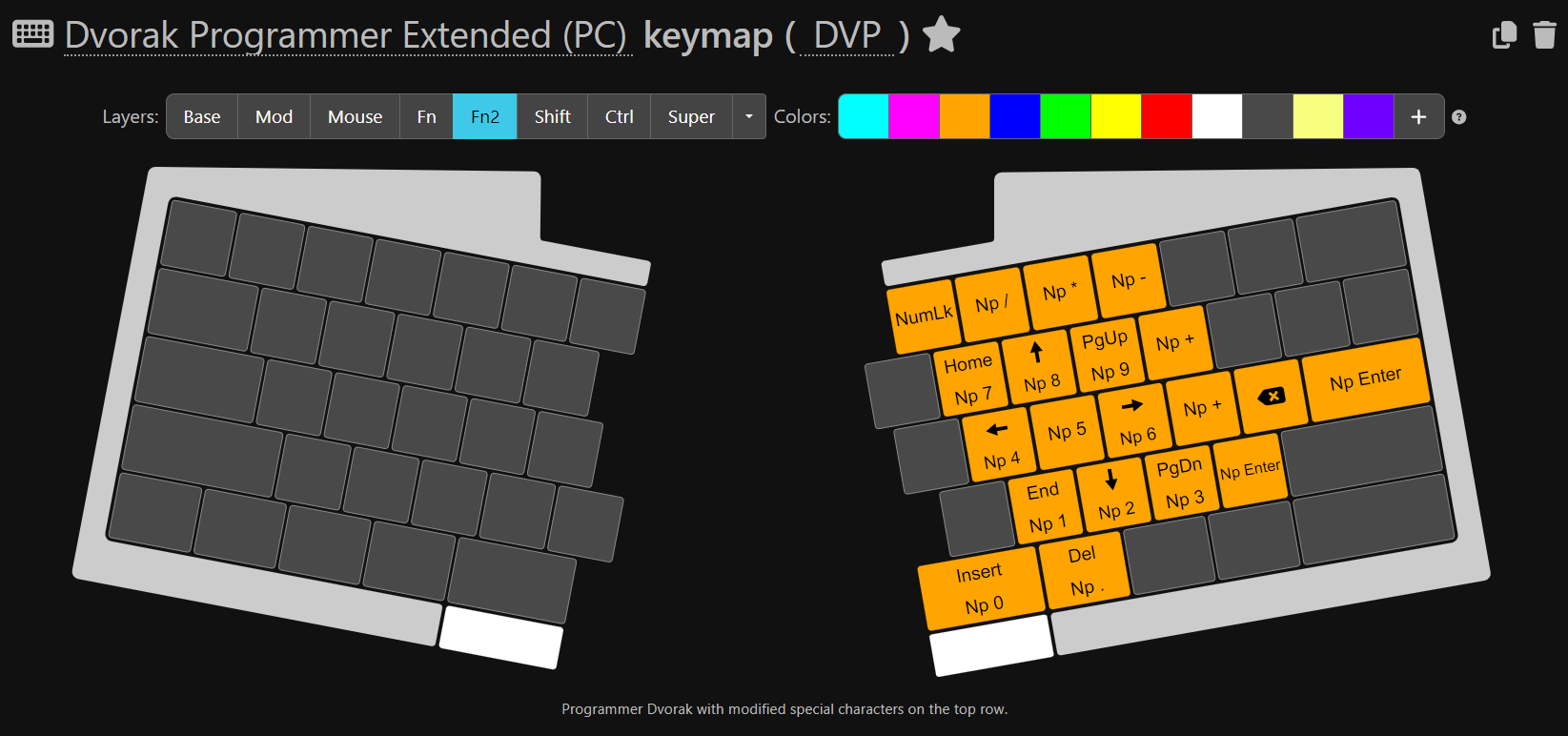

Another drawback for Programmer Dvorak is that the numbers are less accessible. That is for me mostly not a big problem, but in case I do want to quickly type multiple numbers in sequence (hello, MFA), I added a Numpad layer to do so. It is activated by holding down the Tab key.
The rest of the layers are not specific to Programmer Dvorak and lots of great stuff has been shared already on this forum  Just wanted to share this part in case it inspires anyone!
P.S. major thanks to the UHK team for adding the functionality to modify Shift and Control layers, which is what made this layout possible in the first place! I know it was a while ago, but I’m still very happy with it.