Coming bk hiui
oops that was my keyboard doing th thing again
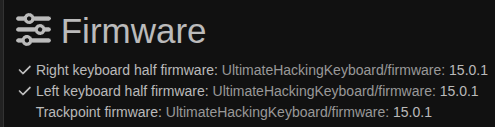
yeah i’m on the default confiuration on 15.01 and this is happening like crazy all of the sudden. It’s sporadic. Like ight n. nevermind it’s doing it again. I’m going to ry o use my other uhk because at the momnt this i just unuseable. i heckeddddd ( alo keys are repatin like hat)
I’s a ummer because i really like my keyoar ouside oi it doing his, but it’s hardly useale in this steeeeeeeej
well… i then plugged the other cable back in and it’s doing better again. I feel like i had to do this before i quit using the thing. probably just going to happen again
Is this with the UHK80? Does it still happen if you disconnect the bridge cable?
A while back, I was having some bridge disconnects/resets due to demanding macros (Snap-tap macro). It was causing some stuck/dropped keys when the link would disconnect/reset.
If it is the UHK80, you could check Agent’s Zephyr logs to see if you also get similar reset messages.
To enable Zephyr logging, click “About” at the bottom of Agent’s left panel → click Agent icon 7x at the top of main window → then click the newly appearing “Advanced settings” in the left panel’s “Device” section. Then you should see a Zephyr logging button in the main panel.
Look for something like the following in the logs:
UartRight(Disconnected)
Failed to send message from left to right

Conn state: UartRight(Ready)
Resetting left right link! Bidirectional
Resetting left right link! Unidirectional

Uart: didn't receive ack 220265, resending
If you see a lot of similar messages, then maybe try temporarily removing any macros that might be a little heavy and see if it gets better.
Anyway, I think it could be worth upgrading FW to v15.1.0, as UART thread priority was increased and most of the bridge link issues have since been relieved in that version (for me, at least).