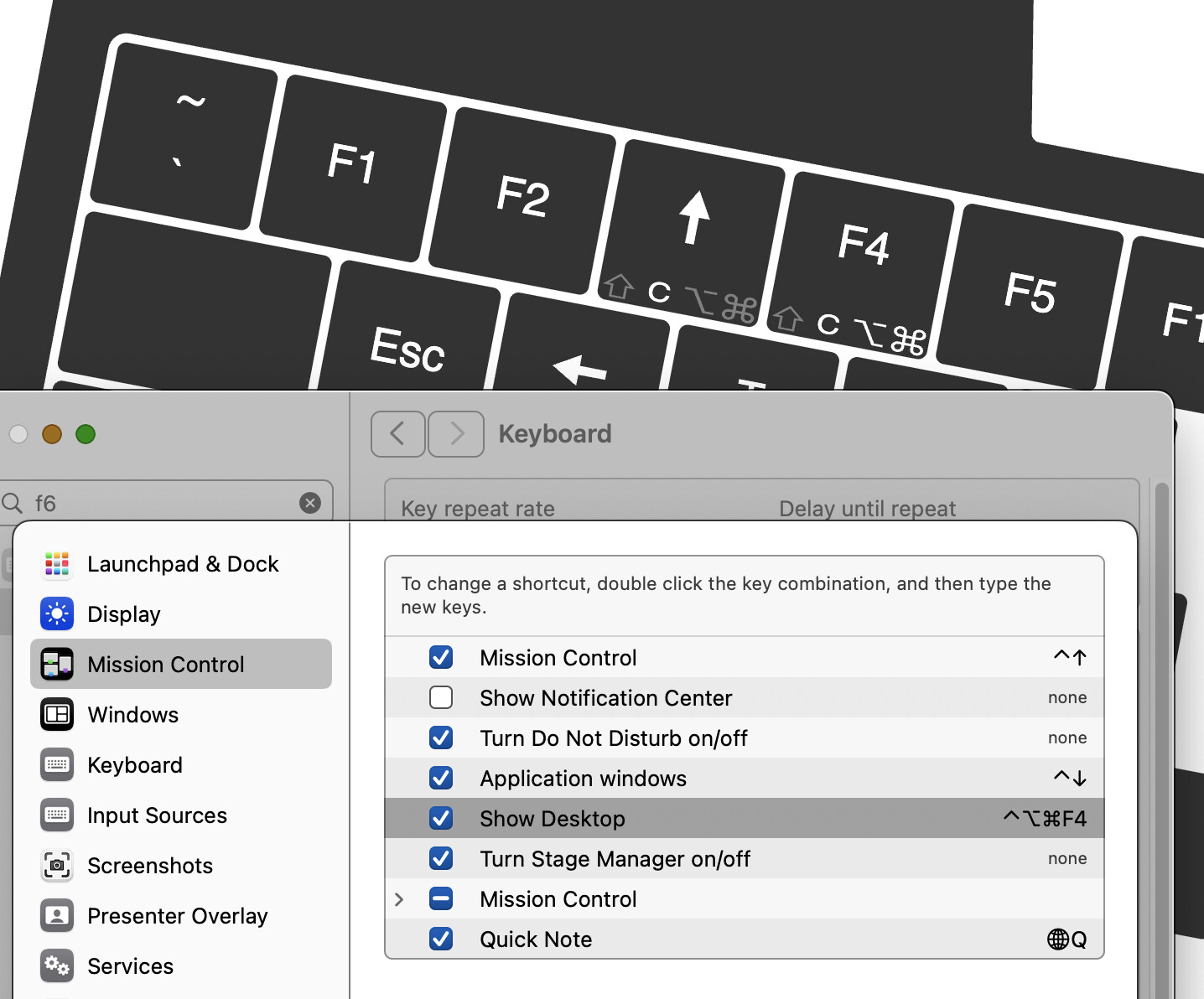
I have been using a UHK60v2 for a while now, maybe a year, with my Mac. Anyway, I have mod-3 set to send ctrl-UpArrow so I can use that for Mission Control. Similarly, I have mod-4 set to send F6, which is set to Show Desktop in my system settings. F6 on my internal keyboard works fine to show the desktop, and my UHK used to show the desktop when I pushed mod-4. However, with the latest firmware, mod-4 no longer works to show the desktop. I can only assume this means mod-4 no longer sends the F6 scancode, but I’m not exactly sure where the breakdown is here.
Sure thing. I’d love to attach it, but the Upload function won’t let me upload a JSON file. I also renamed it to .txt, and I can’t upload that either. Any place else I should send it?
Also, I remapped Fn-4 to be F6, and pressing Fn-4 also does not send F6. To be clear: keyboardchecker does not show that F6 was pressed, and it does not show my desktop.
Do you have any other USB keyboard you could plug into the same USB port and test whether it is able to send F6 and have it registered in keyboardchecker, or show your desktop?
Well… I don’t know how to answer that. I programmed 1-6 in the Fn layer to be F1 to F6. When I type Fn-1 and Fn-2, the hardware functions do execute (brightness up/down), but keyboardchecker does not see a F1 or F2. F3 does Exposé, and F4 pulls up Spotlight. F5 asks to enable dictation, and F6 does nothing.
Keyboardchecker does not see any function key signal when I push Fn-1 to Fn-6.
Keyboardchecker not seeing it is not surprising - we not seeing any of them while they still work means that these keys are caught and handled at either window manager level or application manager.
Since other Fs work, and since my tests say it works on a different workstation / unit means that the chance that this is a firmware-side problem is very low.
The different-key mapping test means that this is not a switch issue or some weird issue related to the keyswitch matrix.
As long as other scancodes work on those two keys, this definitely isn’t a hardware problem of the UHK. After all, the F6 isn’t special in any way - it is just a number in the software.
As for the different behavior of the built in keyboard and UHK, the OS may be discriminating them based on vid/pid in order to provide special handling to the built in keyboard, so that is not conclusive.
Given this, we should narrow the search space to the Mac software.
Do you have Karabiner Elements installed?
Is there some other software that may be modifying keyboard input?
Does the F row of the laptop keyboard have some dual roles - any chance that what you are seeing are not F key scancodes but instead its fn dual functions?
Those functions you have listed don’t sound like normal F key functions that I know from Windows / Linux. This may simply be a Mac difference, or something significant.
This was getting trapped by the OS – F6 is “Do not disturb,” and I finally observed that this was toggling as I would hit mod-4, which sent F6.
Anyway, I have changed “Show Desktop” to ctrl-option-command-F4, and that works on the interal keyboard but does not work on the UHK. See attached screenshot.
I am using Karabiner Elements, yes. The only thing I’m doing with that is to convert the right option key to a command, so that I can one-hand changing full-screen apps – ctrl-right arrow and ctrl-left arrow slide left and right.
Since that’s all I did with Karabiner Elements, I just changed my shortcuts to option-arrow and removed Karabiner Elements. We’ll see if that makes a difference.