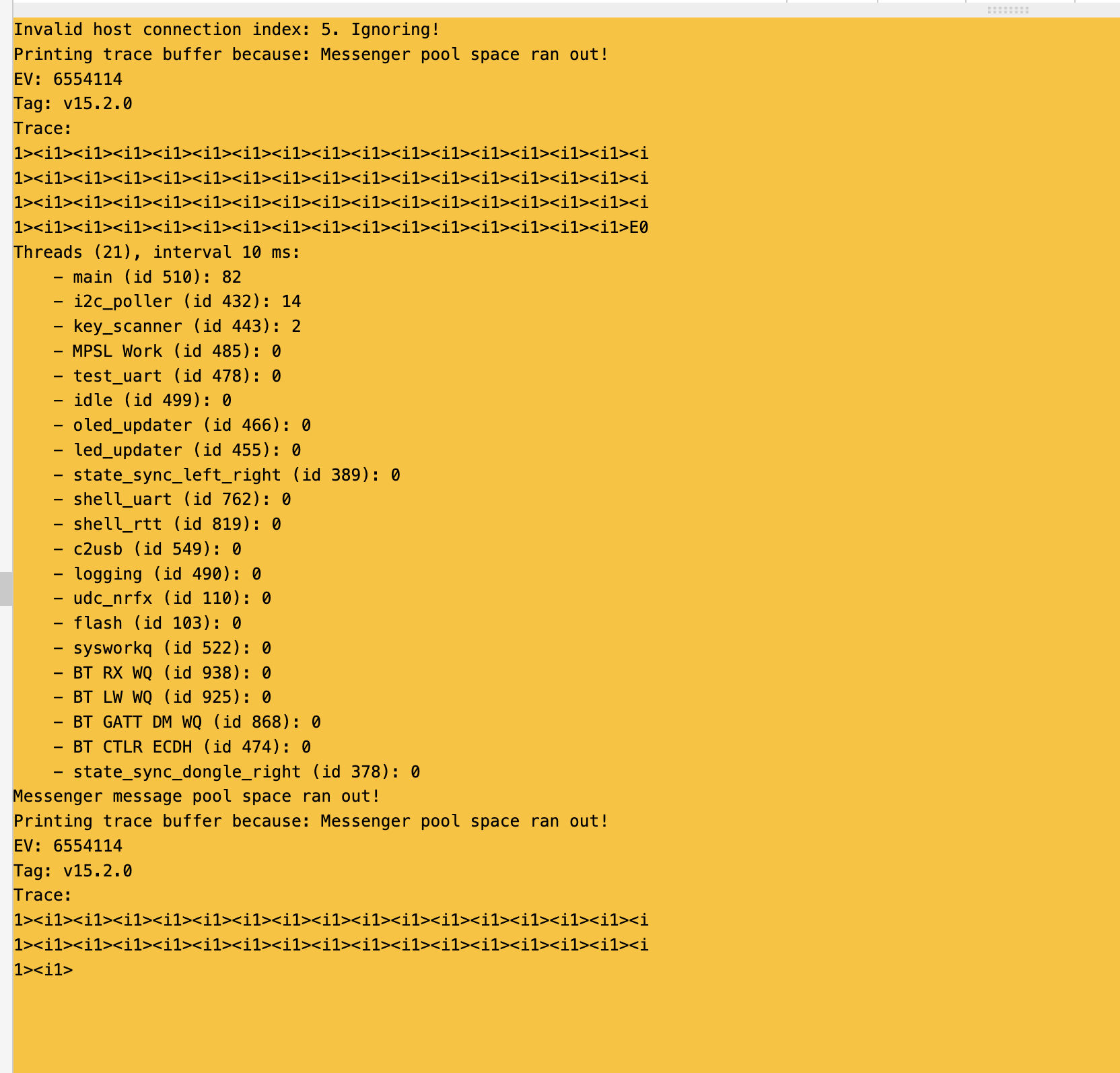
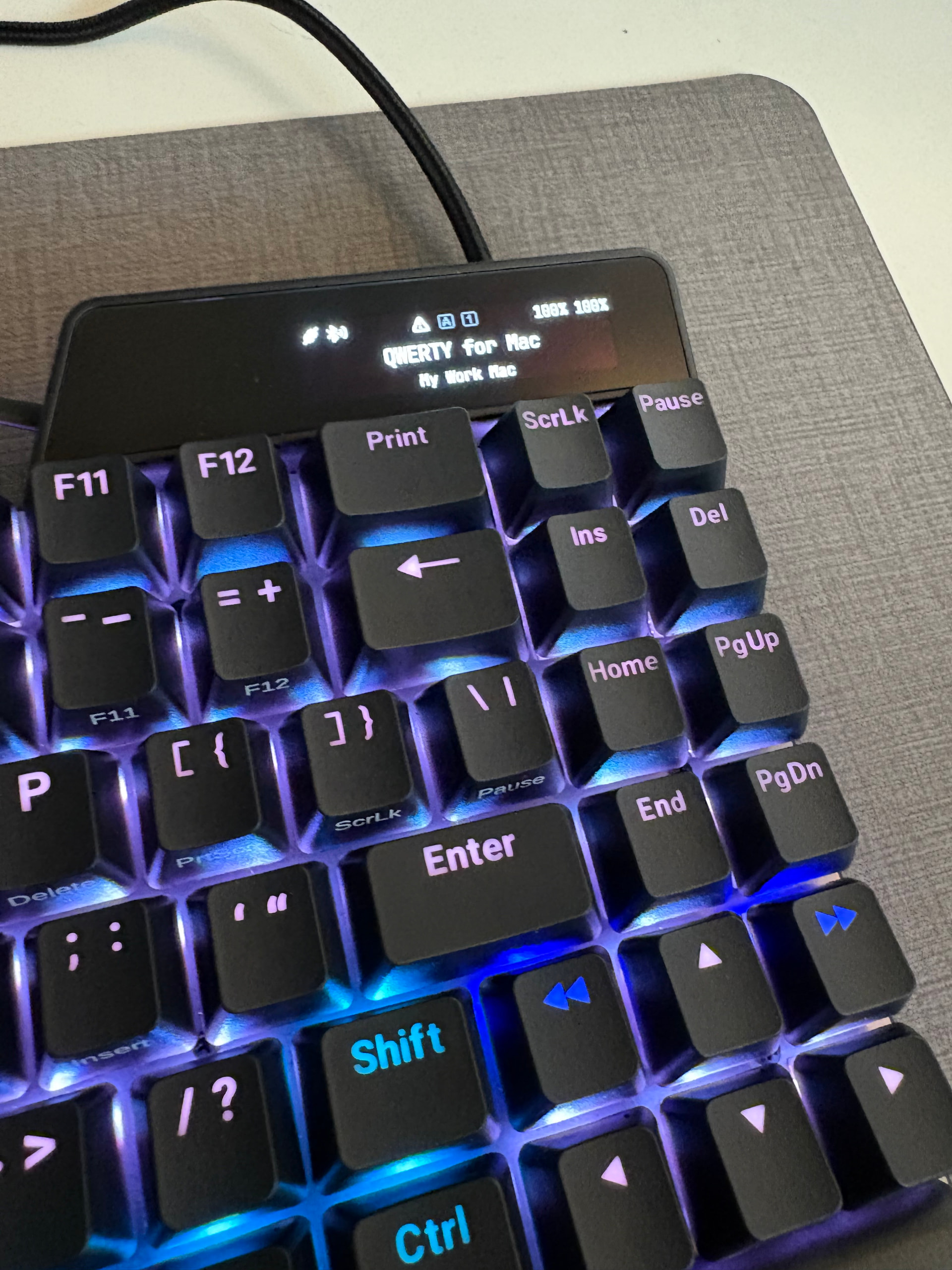
Please find the attached image for that tiny exclamation icon. What is this icon? Sometimes it’s on and sometimes it’s off.
Also, I paired my UHK80 to my mac through BT when I disconnect the cables, the keyboard goes into deep sleep mode and I can’t connect to my device. Currently it only paired with only my mac.
I am sure it’s not the normal sleep mode when I put the device into by fn2 + sleep. Any idea?
I also tried to connect to the keyboard from the OSX bluetooth list, but the the connect button is not visible, probably because the device goes into a full shutdown.
Once I connect the cable, everything works ok.
Note that both halves are 100% charged.
Also the bottom side of the agent I see this yellow-ish alert: Invalid host connection index: 5. Ignoring!
As for the triangle icon on the OLED display; that is a warning indicator that corresponds to the yellow error panel in Agent. I’m sure one of the devs will help you with deciphering it in a few hours (probably in snooze land ATM ).
You must have mapped a “select device 5” function to a key (I can’t remember what the exact name is), and there is no device 5 in your device list. Therefore, when you press that key, it throws this message. The error results in the error triangle on the display, and the yellow box in Agent.
Also, I paired my UHK80 to my mac through BT when I disconnect the cables, the keyboard goes into deep sleep mode and I can’t connect to my device. Currently it only paired with only my mac.
I am sure it’s not the normal sleep mode when I put the device into by fn2 + sleep. Any idea?
It should go into a light sleep, which is a fully operational keyboard just with leds turned off.
(dongle goes violet, after a second switches to green; uhk goes alive)
Since dongle communicates over bluetooth, it shows that uhk is definitely still advertising bluetooth, so if your bluetooth host is saved in Agent connection list and normally works, then it should connect even when uhk is in that “usb-suspend” sleep mode.
Ok, here is what I did. I disconnected the cables between right hand to mac and also two halves.
The reset both side. Removed the keyboard from paired devices on mac. Then reset the keyboard (left and right) using the tiny reset button at the back of both halves. Paired again and now everything works fine even in BT mode (at least as of now).
The point was to test (that I recall correctly) that bluetooth is active while uhk is in the sleep mode, and so that the issue was not related to the sleep mode at all, only to bluetooth.
I used dongle because of convenience, and because it is reliable.
Is it suggested to buy and use a dongle instead?
That wasn’t what I meant, but it may be a good idea, as the dongle is well tested.
(We are trying to support generic ble hid, but it is difficult because every device behaves slightly differently, supplying us with bugs that are hard to reproduce as well as to debug.)
Ok the BT issues is happening again. So when I disconnect, the keyboard goes into full sleep mode without letting me to waking it up. Also when I connect the cable, it automatically changes the default to DVORAK mode but my default layout form the agent is QWERTY.
Even when I set it back to QWERTY (fn2 + 4), on a cable disconnect it goes back to DVORAK. Any idea why?
For default switch back to DVORAK issue, I deleted those layout from agent, seems it’s defaulted to my mac qwerty by default now. Note that before deleting those extra layouts, the (*) was shown next to mac qwerty. So that might be a bug there.
Any time you restart or power-cycle the UHK, the expected behavior is to load the Base layer of the default keymap. If you want to manually change the default keymap (not just switch keymaps), you can do so here:
yeah I already starred a layout to be my default. What I’ve ended up doing was to remove those unused layout, so for now I only have mac and win qwerty where the default goes to what I want. I just wanted to mention that there might be a bug for this.
Unfortunately, this will have to wait. This is a relatively niche scenario and we have higher priority stuff on our plate these days.
Does this mean I should assume BT is unusable until your guys fix it or there might be some workaround? I am hoping to find some solution. Like, have you seen this issue by others?

 ).
).